an AI-native Git client for GitHub, GitLab & Bitbucket
The whole loop,
one window.
Everything GitHub Desktop does (staging, branches, diffs, history, sync), now across GitHub, GitLab & Bitbucket, with the full pull-request loop, CI, and issues in one window. Then AI that drafts commits and PR descriptions from your diff, reviews code, and takes on whole delegated tasks — on your own models, or hidden entirely.
v0.13.5 · Windows, macOS & Linux · Apache-2.0 ·
a calm desktop Git client for GitHub, GitLab & Bitbucket
The whole loop,
one window.
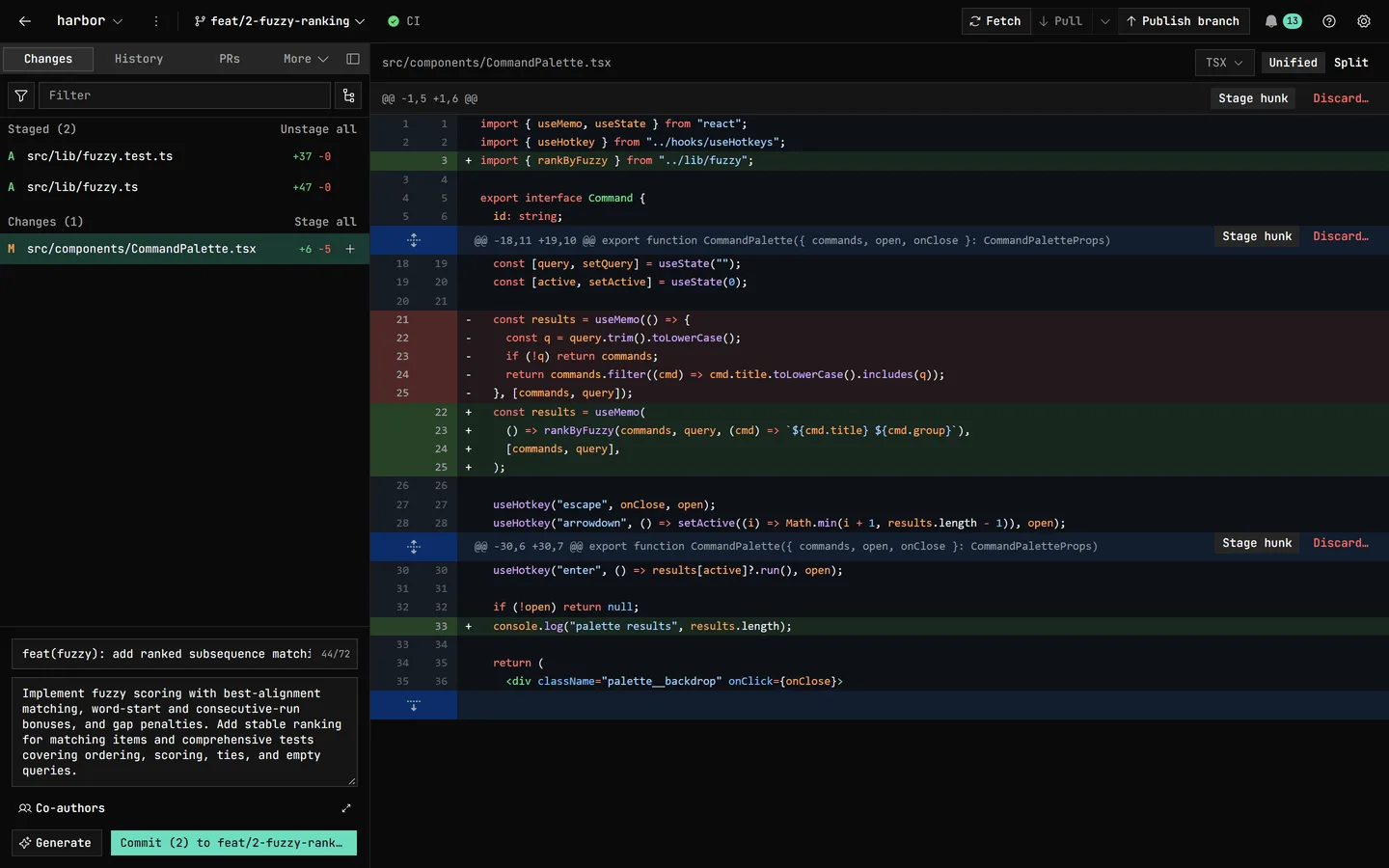
Everything you expect from GitHub Desktop (staging, branches, diffs, history, sync), now across GitHub, GitLab & Bitbucket, with the full pull-request loop, CI, issues, and branch protection in one fast window. Built to be trusted with uncommitted work. No AI in sight.
v0.13.5 · Windows, macOS & Linux · Apache-2.0 ·
It writes the commit.
You keep the keys.
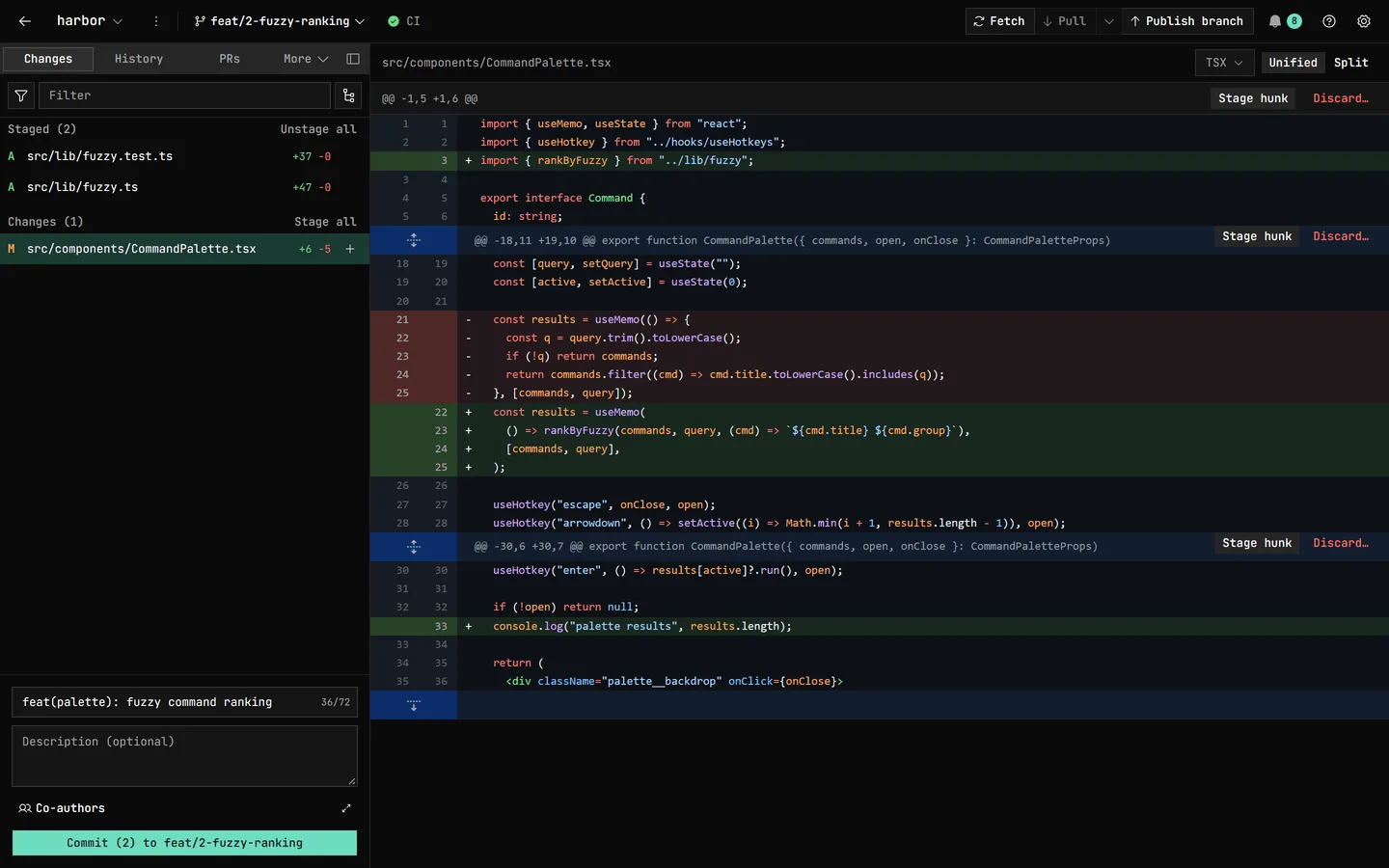
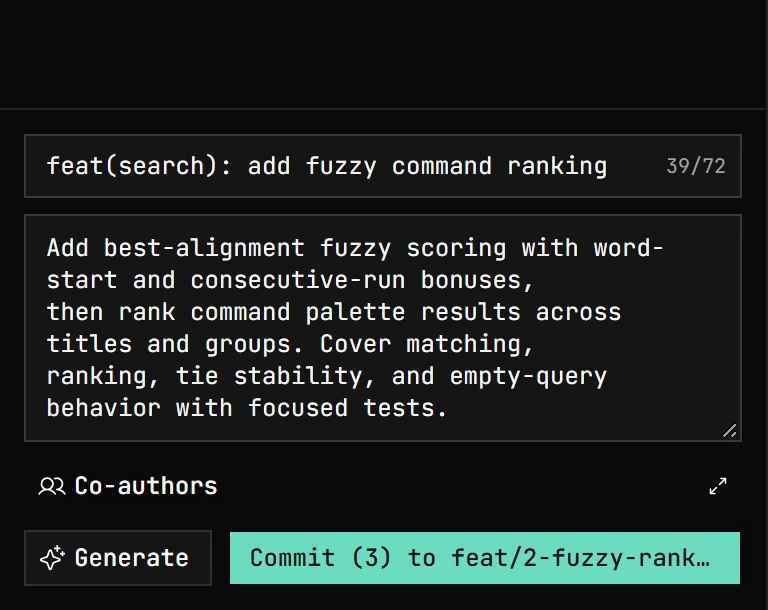
One click reads your staged diff and drafts the commit message in your conventions; the PR dialog gives its title and description the same treatment. Generation streams into the same fields you'd type in, so it's always editable and never blocks the manual path. Generating a PR description can also propose which of your open issues it Closes or relates to, chosen from a grounded shortlist so it never invents an issue number. On a Bitbucket repo with a linked Jira project, it can propose linked-Jira tickets to mention instead, drawn from an equally grounded shortlist of the linked project's tickets.
Bring your own model: Anthropic, OpenAI, Google AI Studio, any OpenAI-compatible endpoint, OpenRouter, Ollama (local, LAN, or cloud), or your Claude / Codex / Copilot / opencode CLI. No keys go to us — they're yours, in your OS keychain.
Hand off a task. Watch every step.
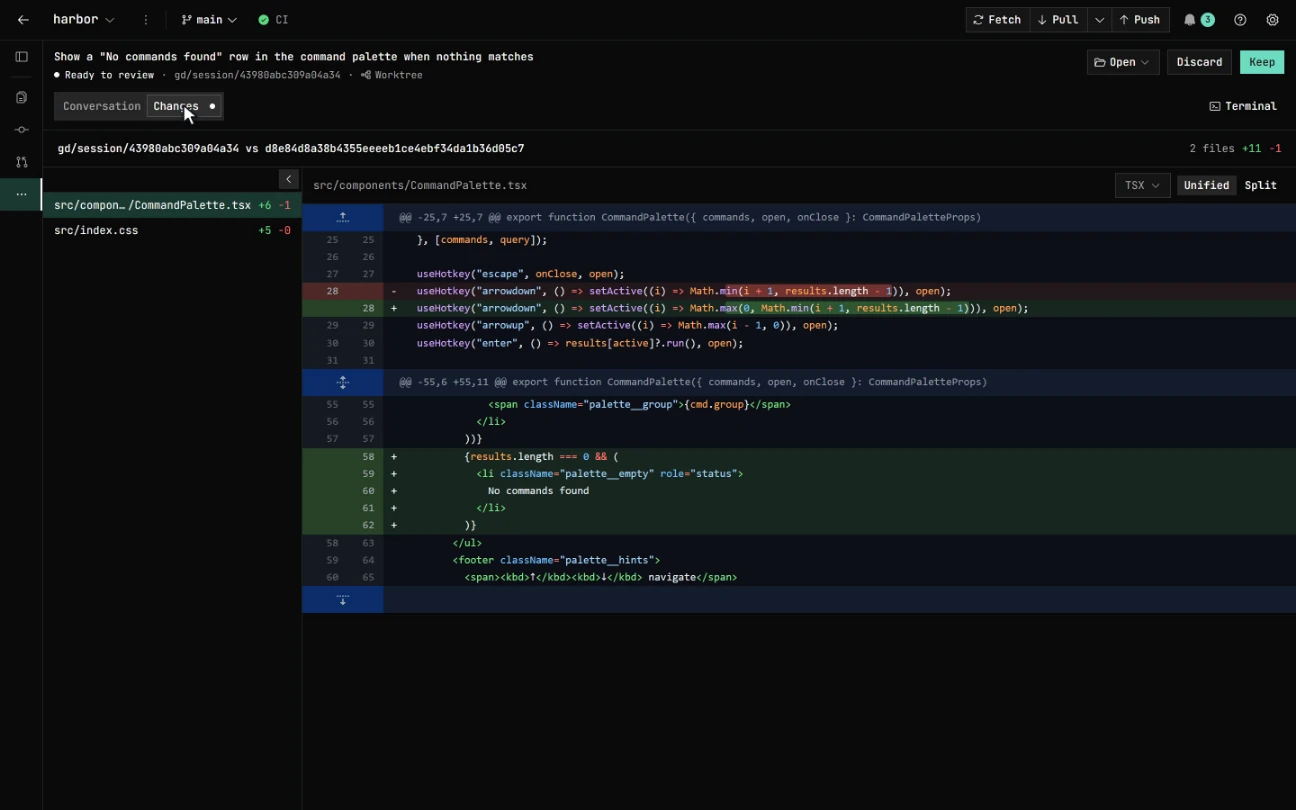
Delegate a coding task to a Claude, Codex, Copilot, or opencode agent. It works in an isolated worktree, so your own checkout is never touched. Follow every file it reads and edits, expand any edit to its diff inline, then keep it as a branch, open a local PR from it, or discard it.
Run several at once, or fan one task across models with best-of-N and keep the winner. Each session has an integrated terminal, and can be sandboxed in a Docker or Podman container.
A reviewer that actually reads the code.
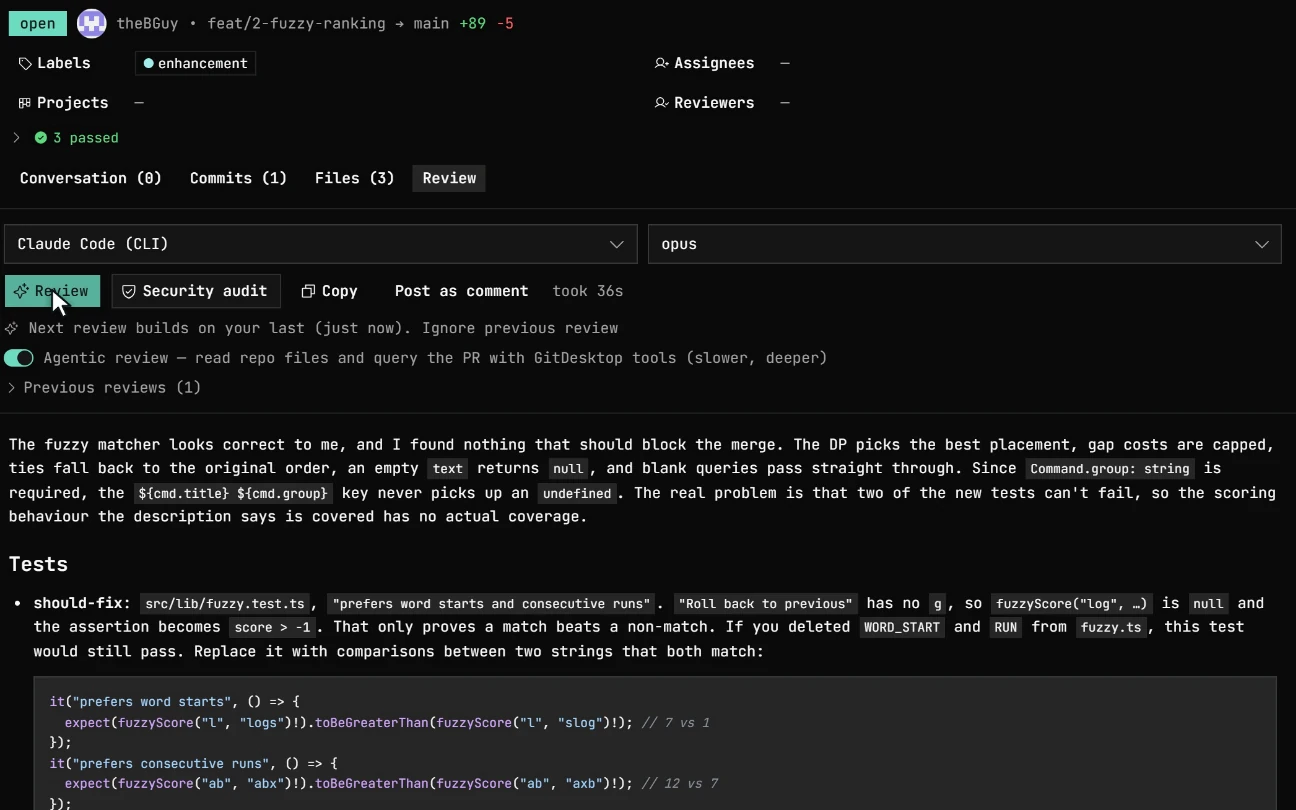
Run a general review or a security audit on any pull request, whether local or on GitHub, GitLab, or Bitbucket. It reads the changed files, flags real issues with a severity, and cites the exact lines. The result stays on your machine unless you choose to post it. The review keeps running while you move between PRs, or even after you close the window, then pings you when it's done.
Turn on Agentic review and the reviewer pulls the full diff past the prompt budget, reads any file at any ref, searches the repo, and runs history — read-only end to end, so it explores but never modifies. Re-runs remember the last round and fold in Copilot's and CodeRabbit's findings instead of repeating them.
Your forge. Not just GitHub.
One calm client for all three. GitDesktop routes every pull-request and CI action through a forge abstraction, so the same panels work whether your remote points at GitHub, GitLab, or Bitbucket, each on its own authenticated identity, none borrowing another's. Sign in and reconnect to GitHub and GitLab without leaving the app; GitDesktop spots an expired session, badges the account, warns before a token lapses, and tells a rate limit apart (with GitHub's reset time).
- GitHub
PRs, Actions, issues, discussions, admin — via gh
- GitLab
MRs, pipelines, releases, project settings — via glab
- Bitbucket
PRs, Pipelines, repo settings — Atlassian token
On a GitHub fork, a Fork | Upstream switch aims the whole Pull Requests and Issues surface at either your fork or the parent repository, remembered per repo, so you work your own PRs or the upstream's without re-cloning.
GitHub & GitLab go through their CLIs (gh,
glab), including GitHub Enterprise and
self-managed GitLab; Bitbucket Cloud uses an Atlassian API token. A few things
differ by platform, and we say so where they do.
Your tracker, linked in.
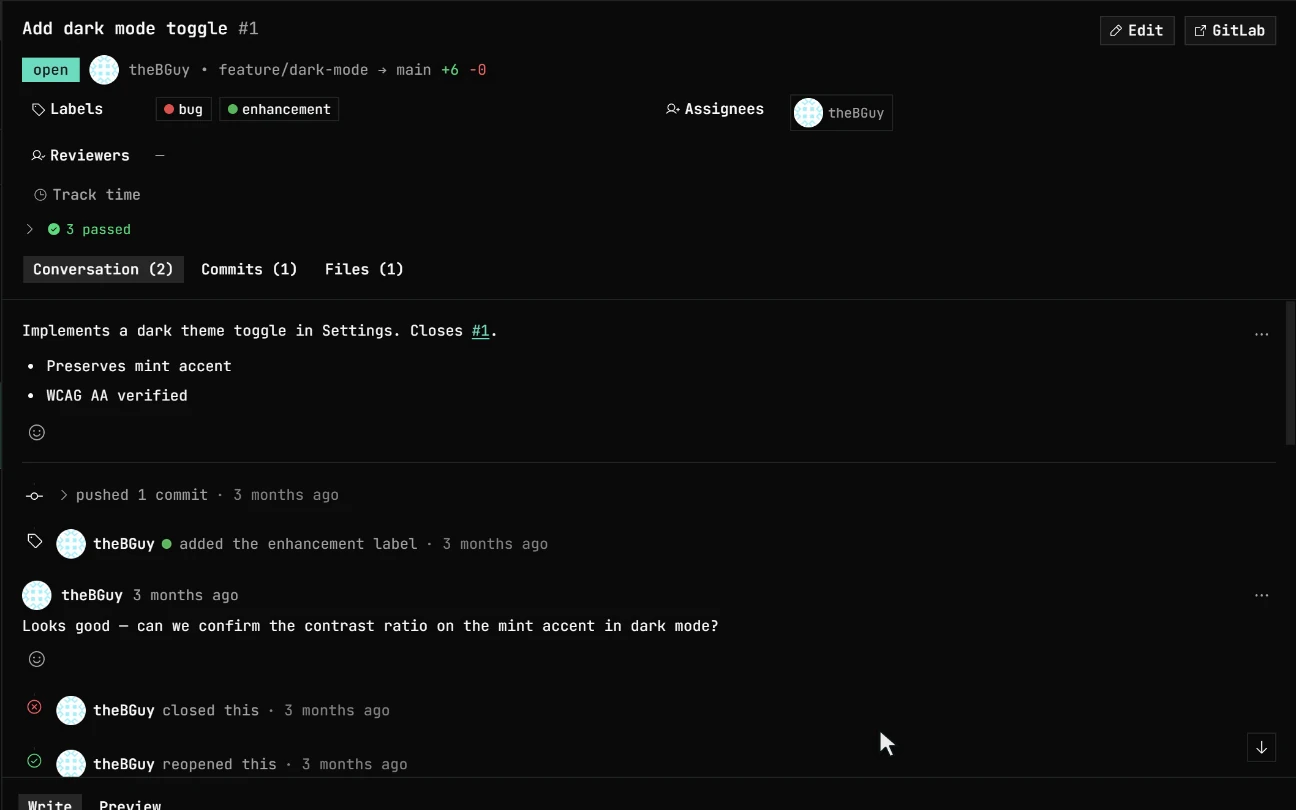
Link a Jira Cloud project to any repository and the Issues tab gains a Jira section: browse and filter your issues, read status, type, priority, assignee, description and comments, plus agile fields like story points, sprint, and a clickable epic when the project uses them. Create, comment, assign, set a due date, change priority, edit labels, and close or reopen along the project's own workflow, with every action gated on your Jira permissions.
Issue keys are spotted in your branch name, commit messages, and PR titles, then linked straight back to the issue in the Issues tab.
Especially handy for Bitbucket, whose native tracker Atlassian retires on August 20, 2026. What that means for your repos →
Pull requests. Without the browser. Or the cloud.
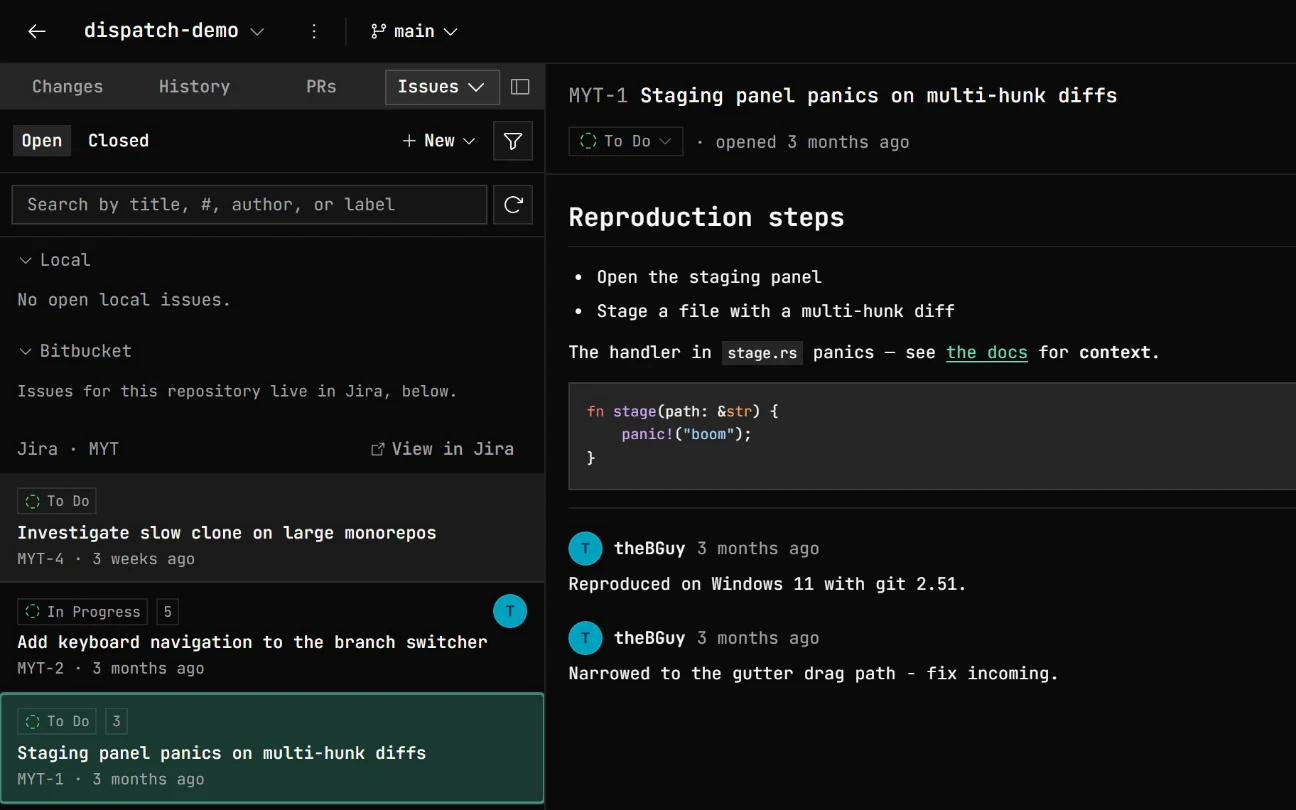
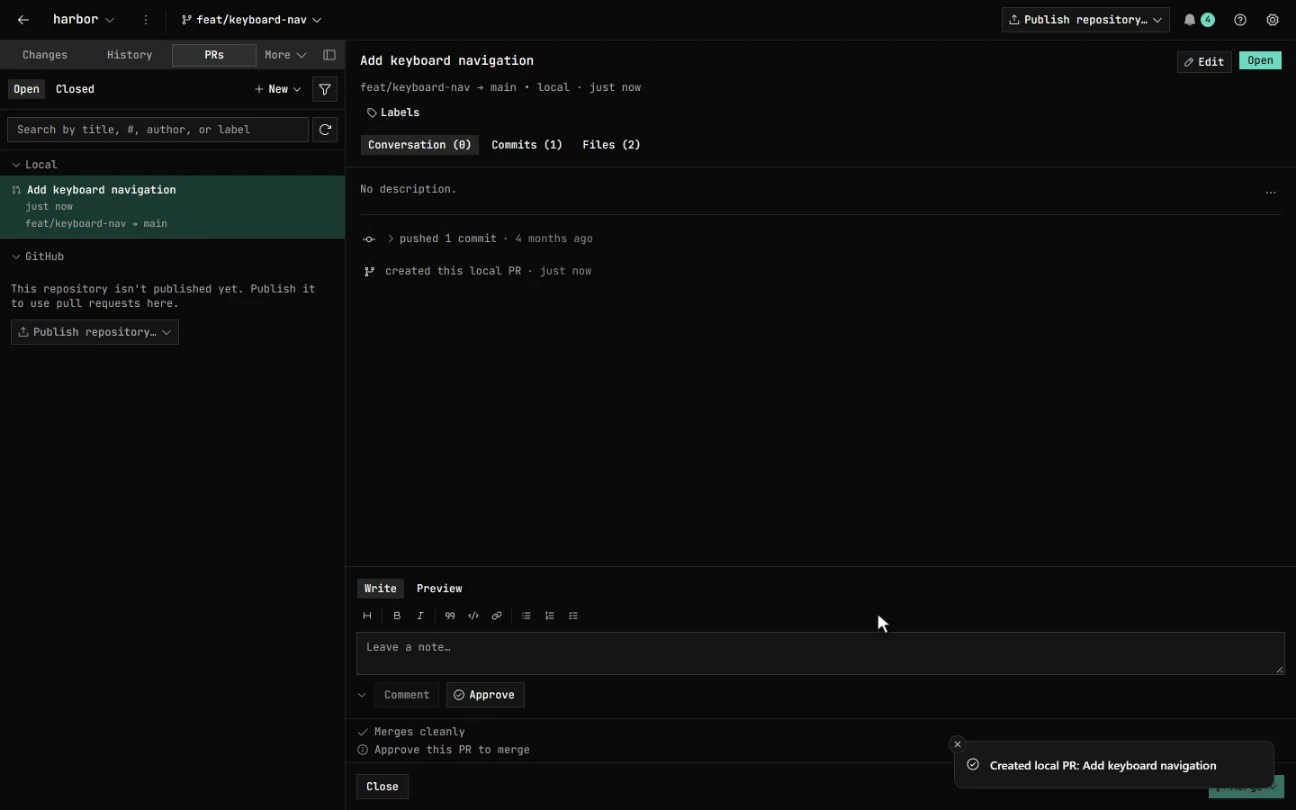
Open pull requests on GitHub, GitLab, and Bitbucket, or private
local PRs that never leave your machine: propose a
merge, review the diff, and merge with a --no-ff
commit, even on a repo that isn't on any forge at all.
A local-PR merge pre-shows whether it will conflict, and if it does you resolve it in an isolated worktree that never touches your branch, then Finish or Abort. Promote a local PR to a real GitHub, GitLab, or Bitbucket PR, comments and all, in one click.
Watch CI without a browser tab.
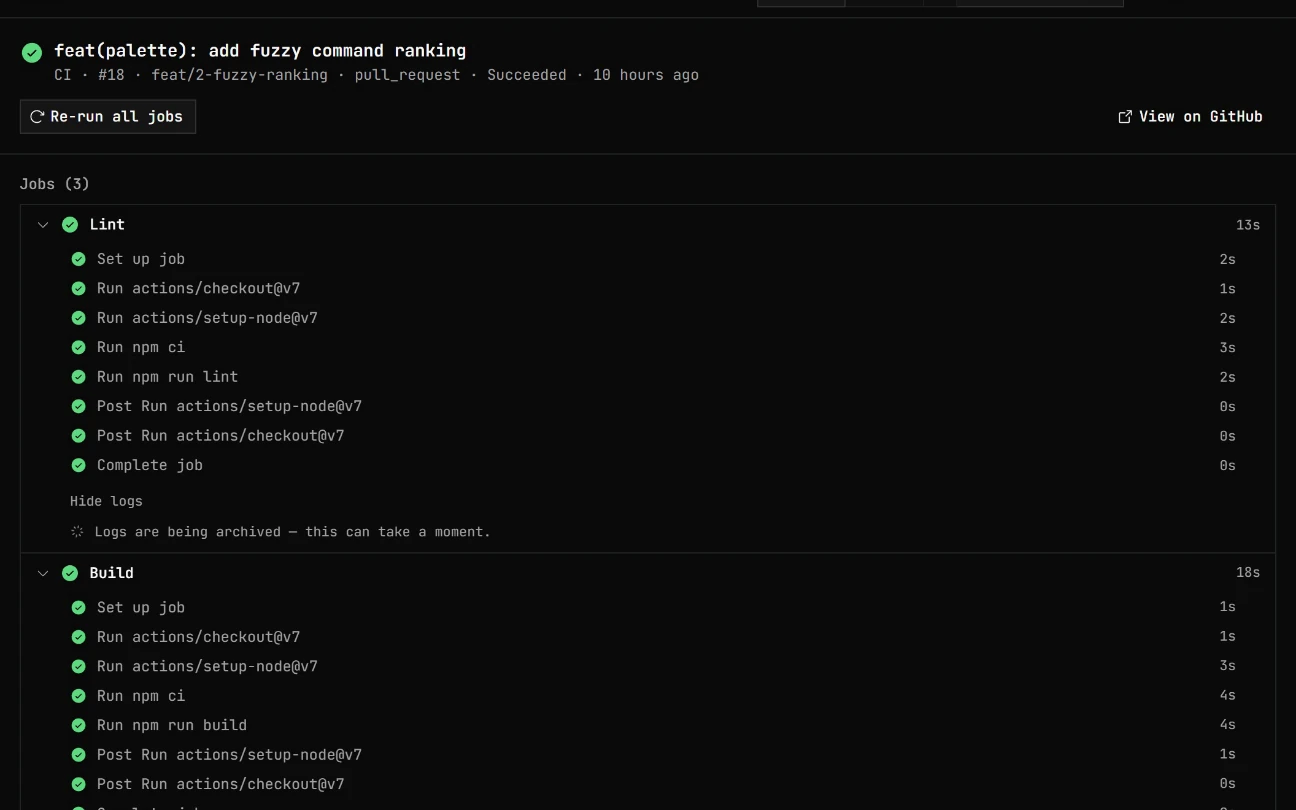
GitHub Actions, in the app: browse runs for the current branch, drill into jobs and steps, dispatch a workflow, and re-run or cancel. A PR's checks collapse into a pass/fail/pending/skipped rollup that shows a running check's current step live and peeks a failing job's log inline.
GitLab pipelines get the same inline-log treatment, fork-sourced MRs excepted; Bitbucket build statuses link out. Insights charts CI durations alongside your local-git analytics.
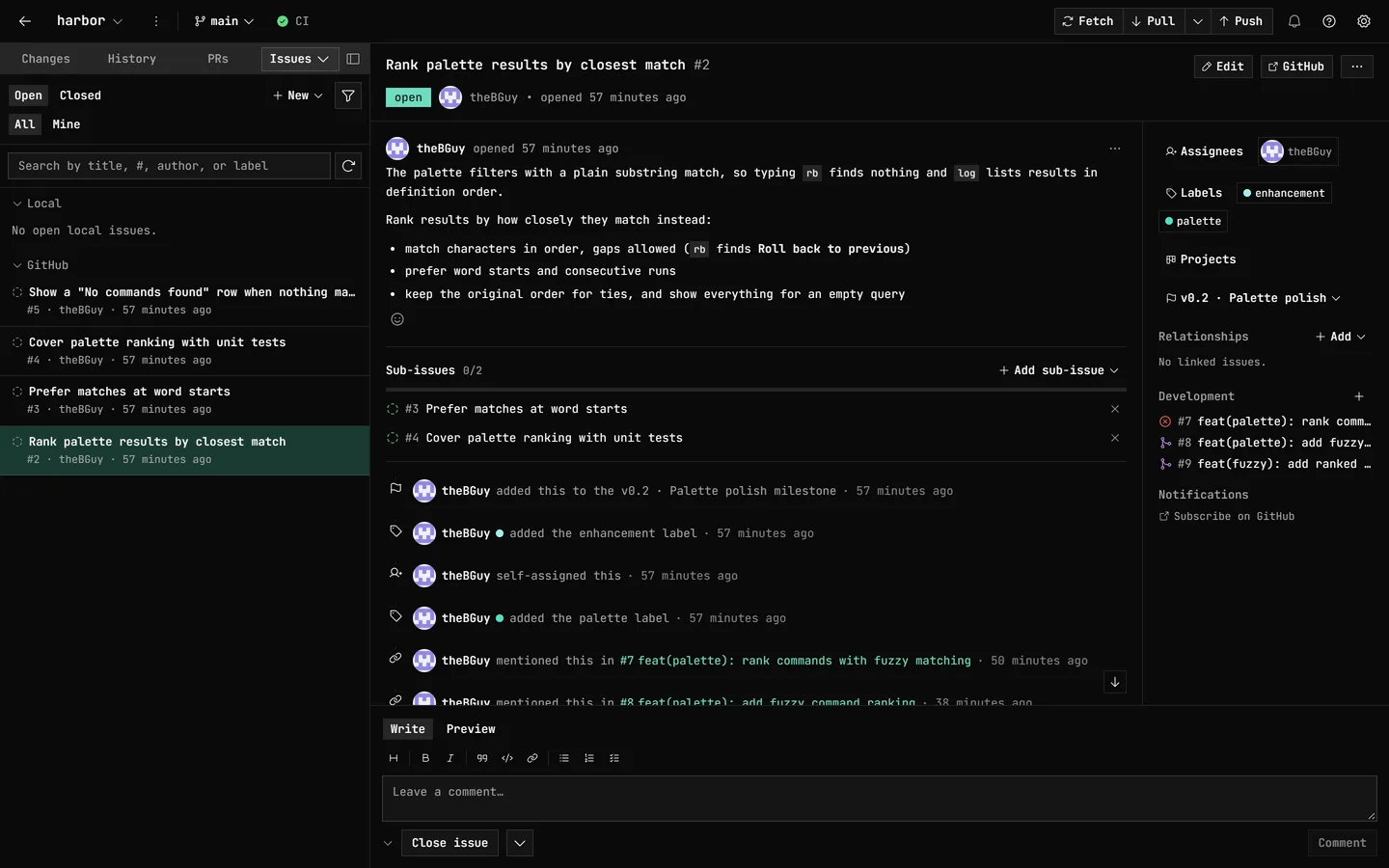
Issues and to-dos, triaged in place.
Browse, open, and edit GitHub and GitLab issues without the tab-switch. Labels, assignees, and milestones sit in one panel, joined on GitHub by Projects, issue type, sub-issues, dependencies, and the pull requests and branches that close them, and on GitLab by related issues. The conversation reads as one date-sorted activity feed, with label, assignment, milestone, mention, and state-change events interleaved between the comments.
A Code TODOs tab scans your working tree for
TODO, FIXME, and
HACK comments, blames each to the commit that
introduced it, and turns any one into a local issue.
Working privately? Keep plain local to-dos that need no remote; when the work goes public, publish them to GitHub, GitLab, or Jira.
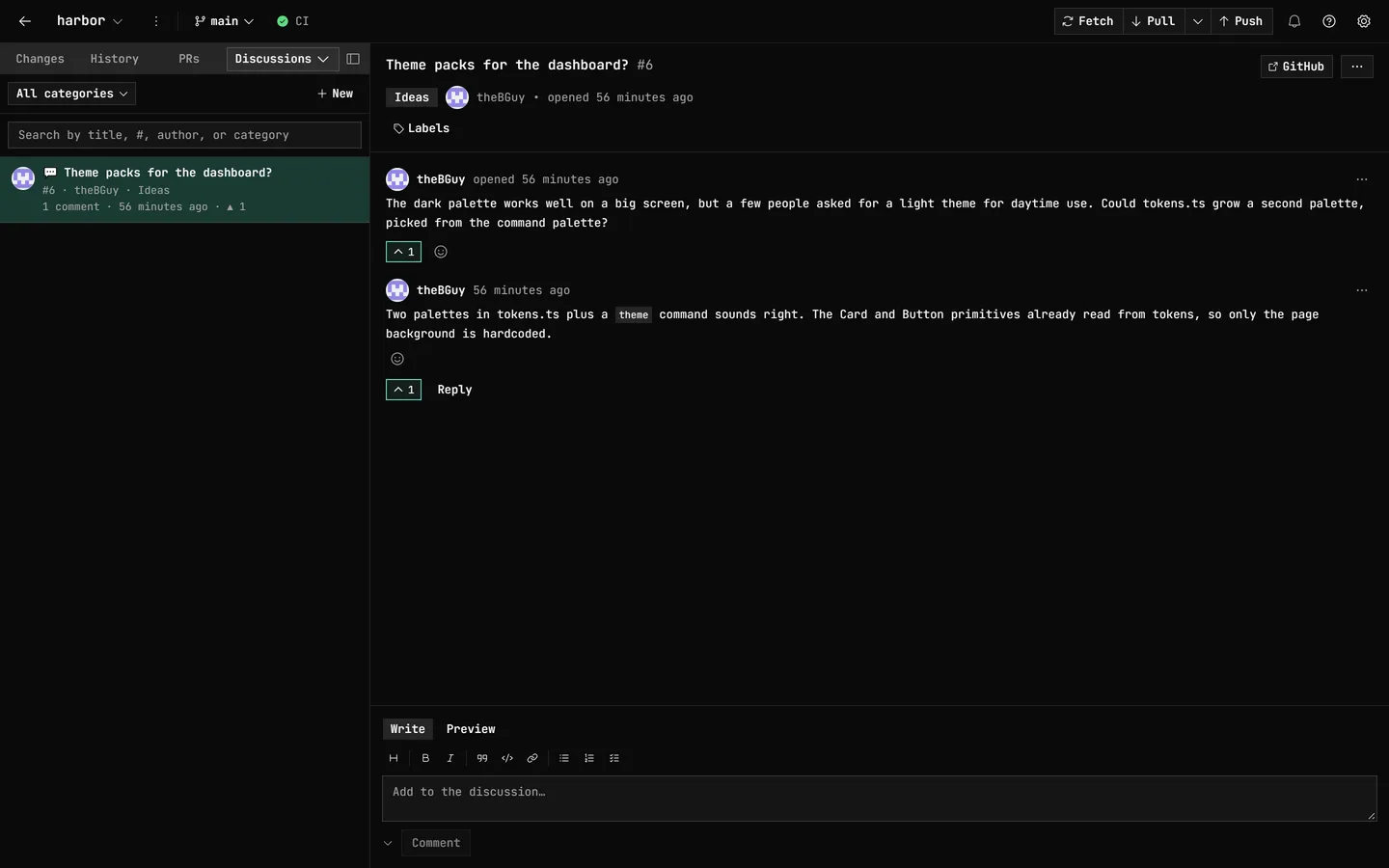
Discussions, where the thread lives.
Read and join your repository's GitHub Discussions in the same window: categories, upvotes, reactions, and threaded replies, with the Write/Preview markdown you author everywhere else.
Announcements, Q&A, and roadmap threads, no browser tab required.
And the rest of the daily loop.
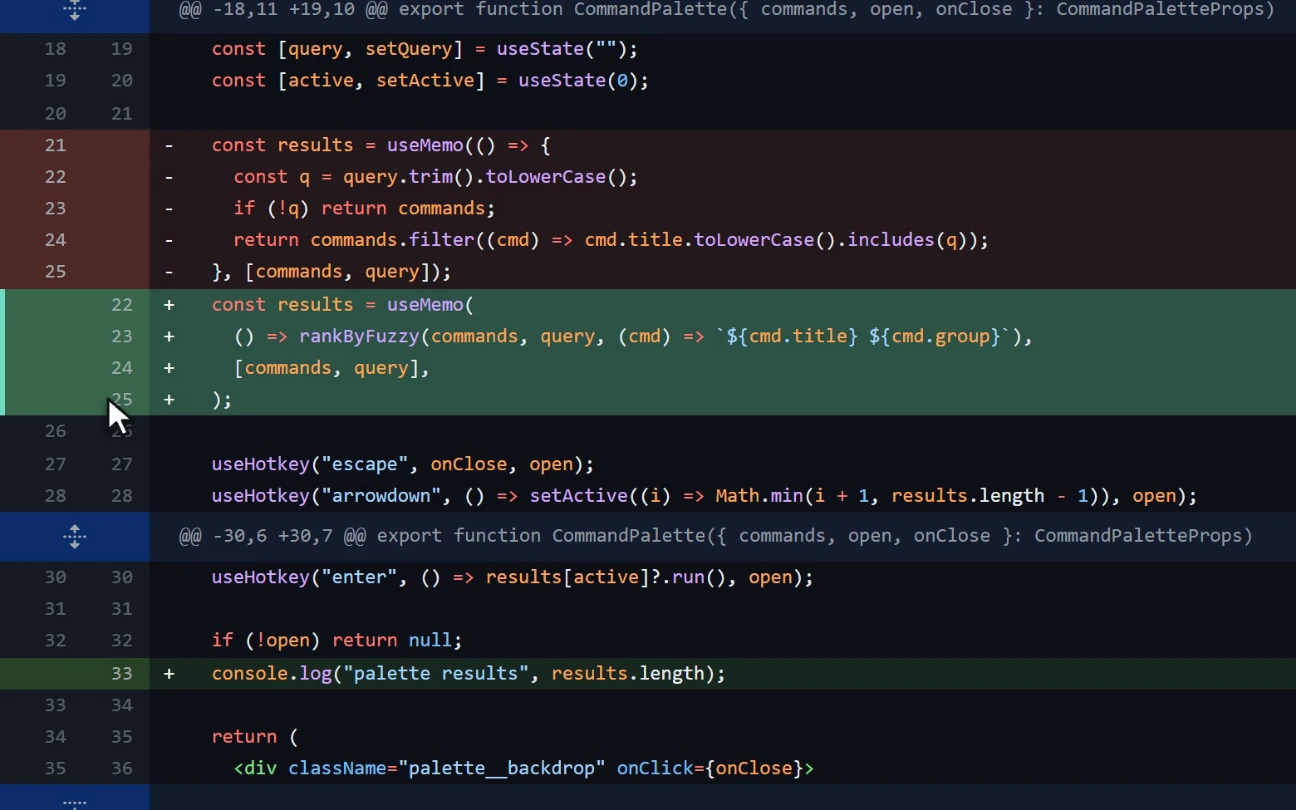
Stage exactly what you mean.
Stage or discard by file, by hunk, or by dragging across individual
lines, even within a brand-new file, to split a messy working tree into
clean, reviewable commits, with partial patches applied via git's own
--cached.
Read the whole story.
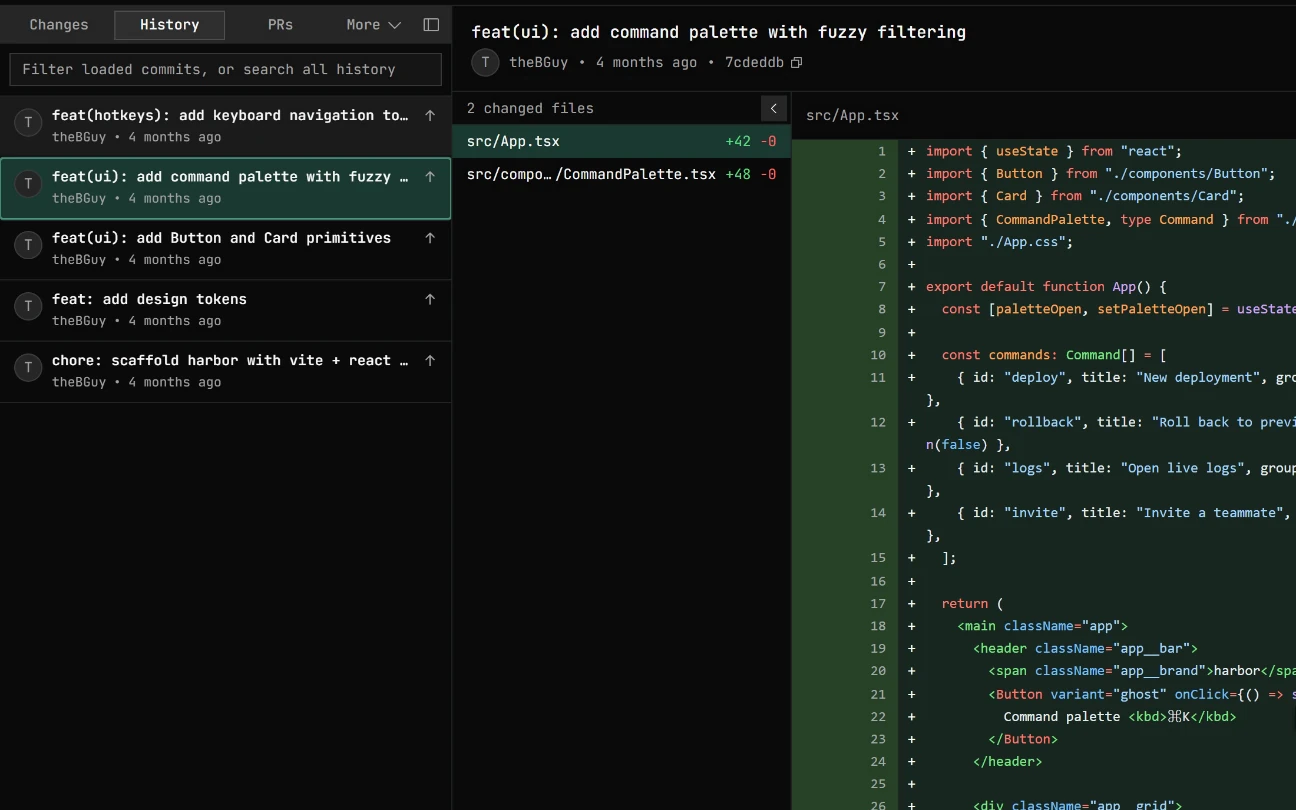
Browse history, search every commit, and blame any line back to the change that introduced it, then cherry-pick, squash, reorder, or stash, without leaving the keyboard.
Compare anything.
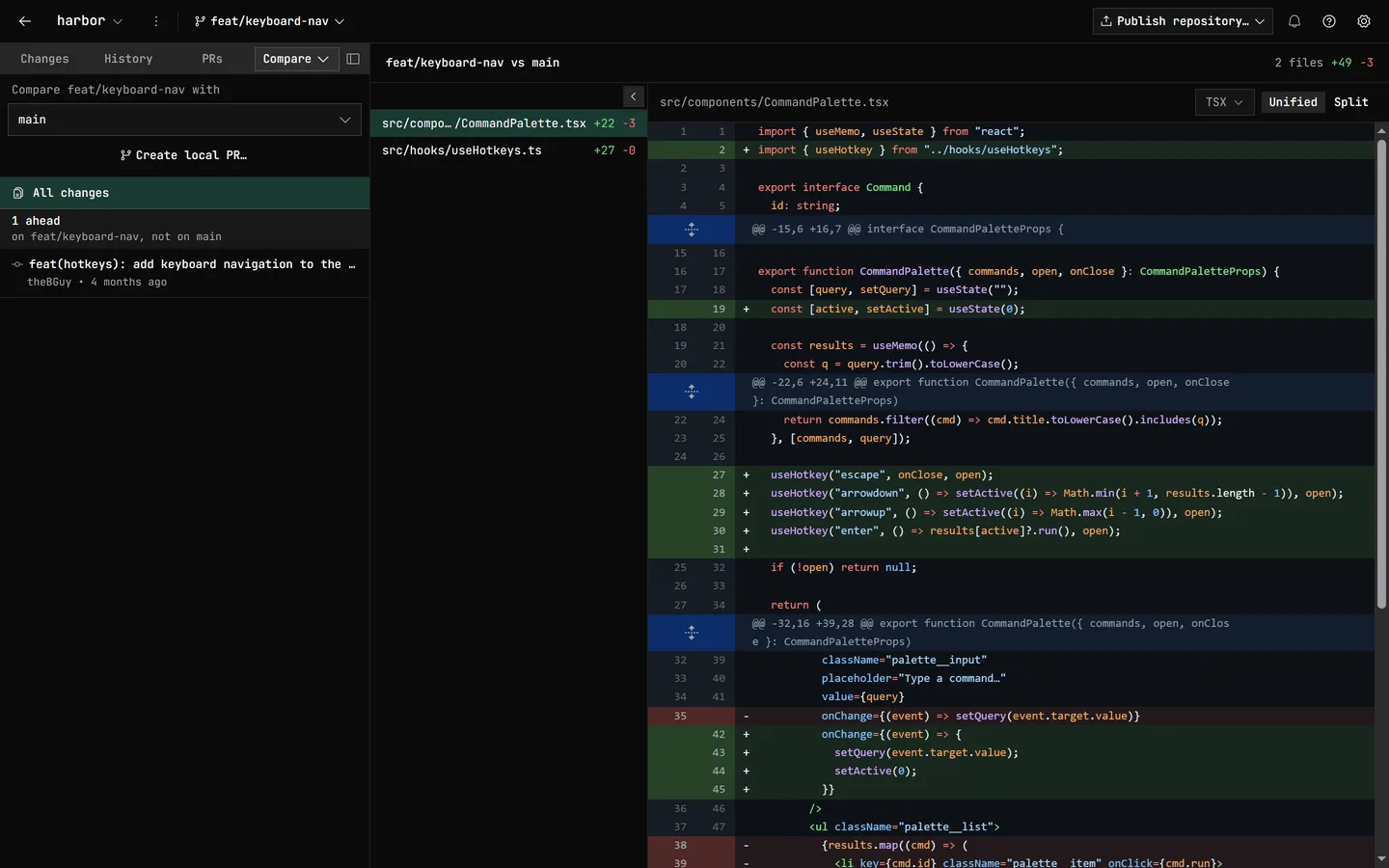
Compare any branch against another: ahead/behind counts, a three-dot diff, the full list of changed files, and every commit that isn't on the base yet.
Merging shows an advanced tooling panel that predicts the result in memory (fast-forward, already up to date, clean, or which files will conflict) before you commit to it.
Built to be trusted with uncommitted work.
The whole point of a client you keep open all day is that it never surprises you on a destructive path. GitDesktop keeps a way back from every risky move.
Discards you can undo.
Discarded changes and deleted untracked files go to the recycle bin, not the void.
Guarded pushes and pulls.
Divergence routes to
--force-with-lease --force-if-includes, never a
plain --force — where your Git can check it, the
pair refuses to overwrite work your branch doesn't include. Plain pull is
--ff-only, and a rebase pull that would drop
your pushed commits stops to ask, with the commits named.
An operation journal.
Risky compound ops (merges, cherry-picks, rebases, history edits) are recorded, so an interrupted one surfaces a calm recovery notice with the exact state it started from.
Recover lost work.
A git fsck scan finds orphaned stashes that
fell off the list and restores them non-destructively.
Or point an agent at GitDesktop.
The reverse direction: run GitDesktop as an MCP
server, and any external client (Claude Desktop, Cursor, Claude Code)
can understand a repo through read-only git, PR & CI tools, across GitHub,
GitLab, and Bitbucket. Settings writes the config into your repo's
.mcp.json or installs it globally.
Writes are an escalating opt-in ladder: each tier a separate flag, off by default, so read-only stays the default.
- default Read-only — status, log, diff, blame, PRs, issues, CI
- --allow-write Local PRs & issues (GitDesktop's own review artifacts)
- --allow-remote-write Real forge writes under your authenticated identity
- --allow-git-write Recoverable git ops — stage, commit, branch, push
- --allow-destructive The irreversible ones — discard, reset, force-push
Cut a release without the dashboard.
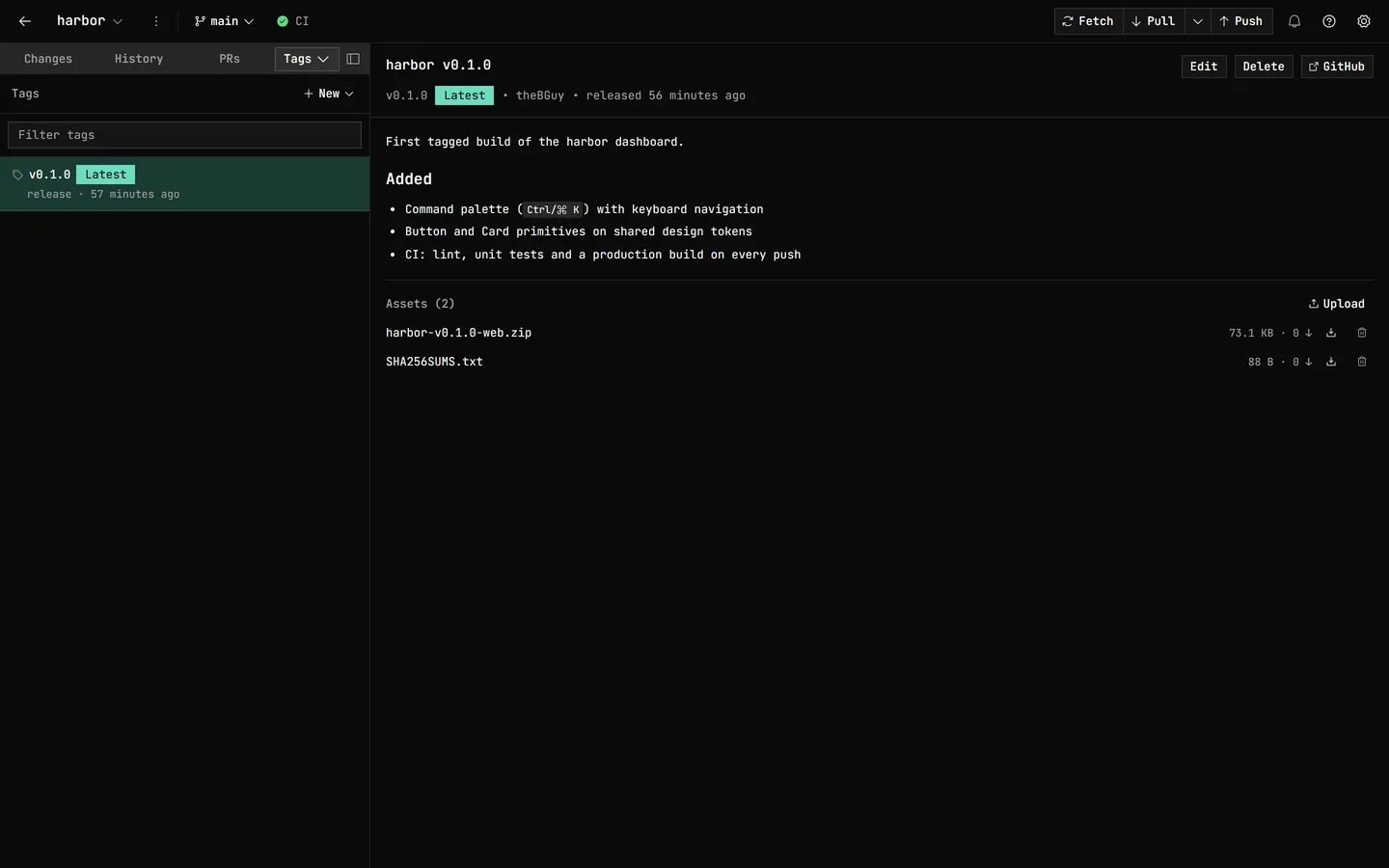
Every tag and release in one panel. Cut a new one without the browser: write the notes, mark it latest, pre-release, or draft, and attach the cross-platform binaries.
Lightweight tags for a quick checkpoint; full releases when you ship. Push, edit, delete, or download any asset, in the app.
// everything else you'd reach for
See all features →- Raw ⇄ Preview toggle on markdown & MDX diffs — read the change as rendered prose
- Branch compare — ahead/behind, three-dot diff, jump to PR, commit menu + tags
- Clean up branches in bulk — archive or delete stale ones in one sweep, including branches merged through a pull request
- Interactive rebase — reword / squash / fixup / edit / drop / reorder, atomic replay
- Merge preview — fast-forward / already up to date / clean / which files conflict, before you merge
- Recover lost work — git fsck for orphaned stashes, restored non-destructively
- PRs on GitHub, GitLab & Bitbucket + private, offline local PRs
- Inline review comments — reply, resolve, apply suggestions locally
- Triage the PR list — All | Mine | Needs review presets and whole-repo filters (GitHub & GitLab), with grouping by your review state (GitHub)
- GitHub, GitLab & Bitbucket — first-class, each on its own identity
- Jira Cloud — link a project, browse & work issues in-app
- Code TODOs — scan TODO/FIXME/HACK comments, jump to blame, promote to an issue
- Project boards — GitHub Projects as a kanban, table or roadmap, with saved views and keyboard reordering
- GitHub Actions — runs, jobs, steps, re-run, cancel & dispatch
- Findings tab — GitHub Dependabot/scanning alerts & advisories; GitLab SAST, secrets & code quality; Bitbucket Code Insights
- Explore repositories — search GitHub, GitLab & Bitbucket, then clone, fork or star
- My work — one cross-repo inbox of your open GitHub PRs and issues, GitLab MRs and issues, and Bitbucket PRs
- Worktree manager — create, switch, rename, lock, promote & remove, with a last-active time per worktree
- Submodule manager — add, remove, update & track branches, edit URLs, open as repo
- Tasks — register a repo script or write one inline and run it in an interactive terminal, kept to one repository or available in all
- Fork-point guard — a rebase pull asks before an upstream rewrite drops your commits
- Auto-fetch — quiet background sync, never auto-pulls
- Activity & notifications inbox — never miss a finished review or check
- Command palette + rebindable, filterable keys — down to a single key
- Markdown editor — formatting toolbar & live preview
- Generated commit messages, PR & issue titles/descriptions
- AI code review & security audit on any PR
- Delegate a task to a Claude, Codex, Copilot or opencode agent — searchable model picker (live opencode, Codex and Copilot catalogs), any typed id accepted
- Use GitDesktop as an MCP server — read-only default, opt-in write ladder
Keep it open all day.
Free, open source, and local. Fast enough to live in, careful enough to trust
with your work: discards are recoverable and pushes use
--force-with-lease --force-if-includes by default.
v0.13.5 · Windows, macOS & Linux